 Lukla Data Studio
Docs Server and objects
SQL Search
Search every object name, column and line of procedure, view, function, trigger and Agent job text across a whole server, as you type.
Tools ▸ SQL Search… (⌥⇧⌘F) finds things anywhere on a server: object names, column names, and the text inside every procedure, view, function, trigger and SQL Agent job step, in every database.
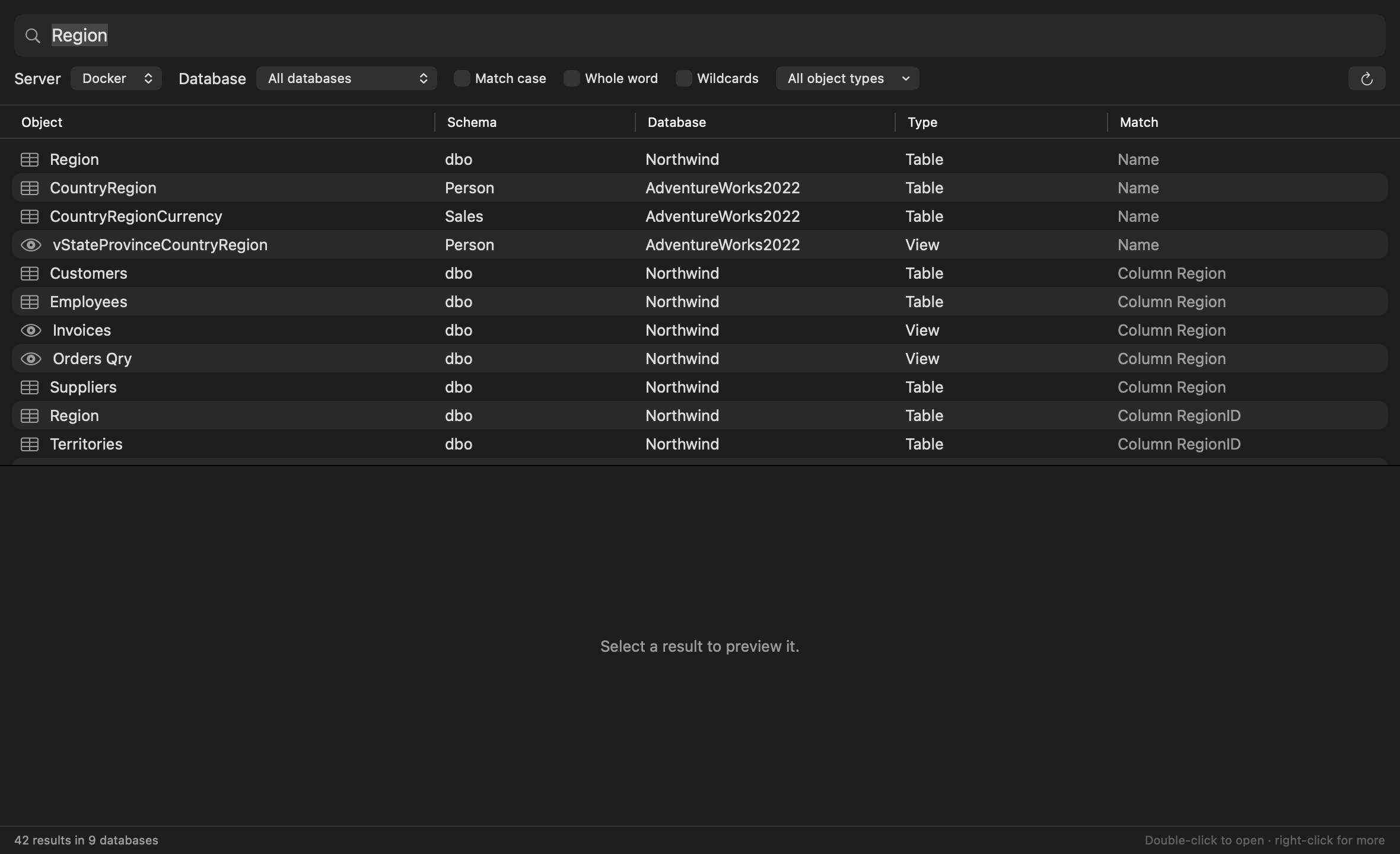
#How results are ranked
Best match first:
- the exact name (
dbo.Region), - names that start with or contain the term (
Person.CountryRegion), - columns with the name (Column Region),
- text inside definitions.
The first search reads each database's catalog once; after that, results appear as you type. ↻ reads them again after the schema changes.
#Narrowing it down
- Server and Database: one database, or all of them;
- Match case, Whole word, and Wildcards (
*and?, soGet*Order*findsGetCustomerOrders); - All object types ▾: just tables, views, procedures, functions, triggers or jobs.
#Open what you found
Select a result to preview its definition with the match highlighted. Double-click to open its definition in a tab; right-click to select it in Object Explorer, find its usages, or copy its name.
#Examples
| Search | Finds |
|---|---|
Region | Tables and views named or containing Region, and every Region column. |
sp_send_dbmail (Whole word) | Every procedure and job that sends mail. |
NOLOCK | Every definition that still uses the hint. |
Archive* (Wildcards) | Objects whose name starts with Archive. |