 Lukla Data Studio
Docs Server and objects
ER diagrams and dependencies
Draw a database's tables with their keys and relationships, export the diagram, and see what uses an object before you change it.
On this page
#ER diagrams
Right-click a database ▸ ER Diagram, or a table ▸ Show in ER Diagram for that table and its neighbours. The diagram opens in a tab:
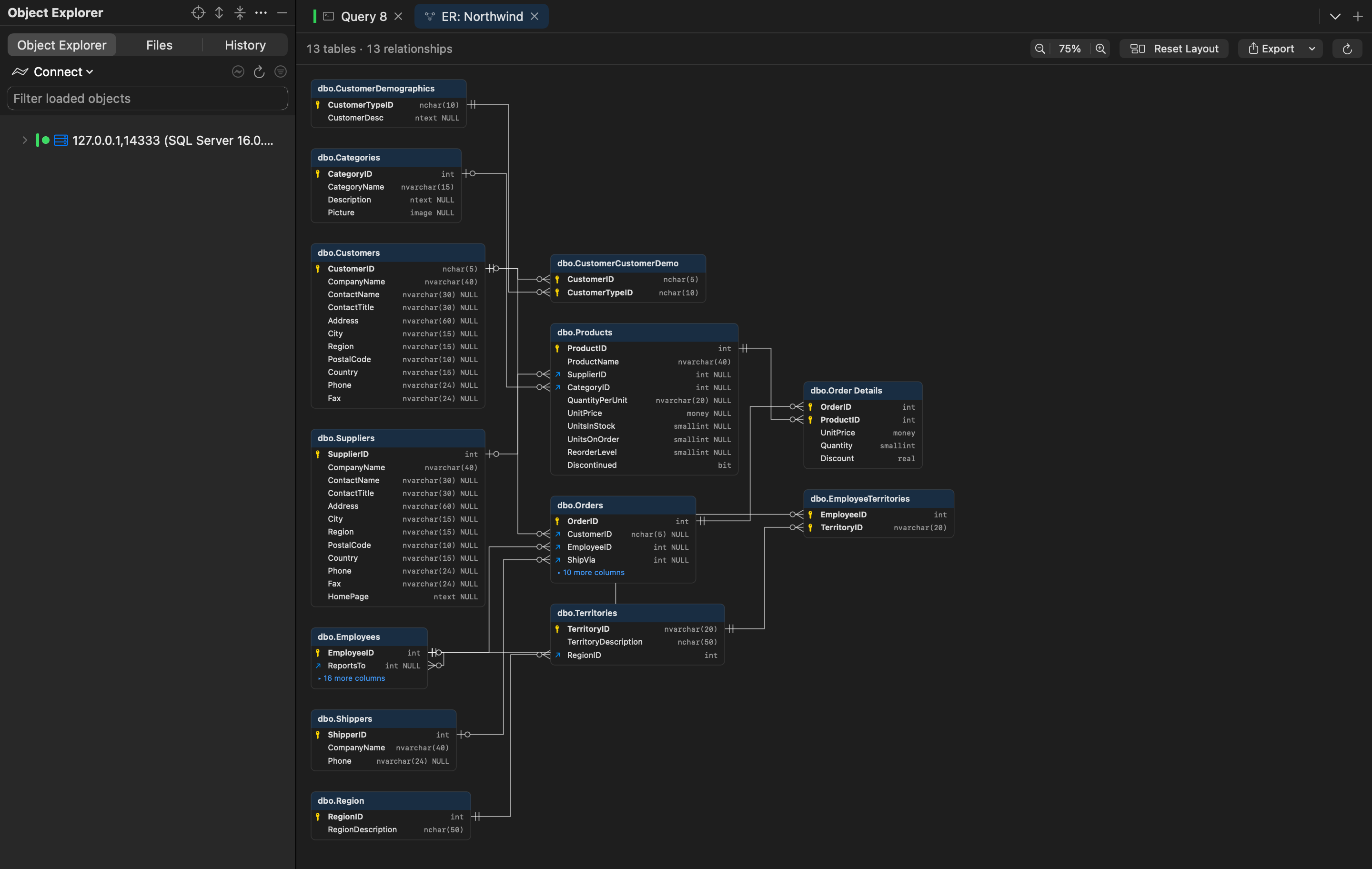
- Each table lists its columns with their types and nullability; 🔑 marks primary-key columns, and foreign keys are drawn as lines with crow's feet on the many side.
- Long tables fold their remaining columns (+ 10 more columns).
- Zoom with the toolbar or a pinch, drag tables to arrange them (the layout is remembered per database), and Reset Layout starts again.
- Double-click a table to script it and open its data; right-click for Find Usages, Dependencies and its neighbourhood.
- Export ▾ saves the diagram as a PNG or SVG image, for a design document or a wiki.
#Find usages and dependencies
Before you change or drop something, see what it touches. Right-click any object in Object Explorer (or SQL Search):
- Find Usages lists everything that uses it: Usages of dbo.Orders, such as the views, procedures, functions and triggers that read it;
- Dependencies lists what it uses: Dependencies of dbo.usp_PlaceOrder.
Each opens a tab showing the result as a tree grouped by type, or a left-to-right graph with the object highlighted. Objects in other databases show their three-part names, and cycles are drawn dashed. Click to select, double-click to open Script as CREATE, and Reveal in Explorer finds the object in the tree.
-- Before dropping a column, check what reads it:
-- Object Explorer ▸ dbo.Orders ▸ Find Usages
ALTER TABLE dbo.Orders DROP COLUMN ShipVia;